ATS-Friendly Resume
• 2 min read
The Perfect ATS-Friendly Resume
For and after my Accenture internship ended, I had to create multiple versions of my resume and update it constantly. I started using Enhancv for their free templates, but they came with branding at the bottom. To fix that, I’d upload the PDF to ILovePDF, add a blank white image on top of the branding, and download it. The resume looked pretty and not unprofessional with the branding removed, but it wasn’t great practice. The ATS score was only 66/100 - pretty low.
I tried to solve this by building a simple HTML ATS-friendly resume maker, inspired by my classmate’s project. It had input fields, and when you clicked “Generate,” it printed to PDF and downloaded. But when I migrated from HTML to React, alignment was off, things were hardcoded, and options were limited. Along with a not so great half built project.
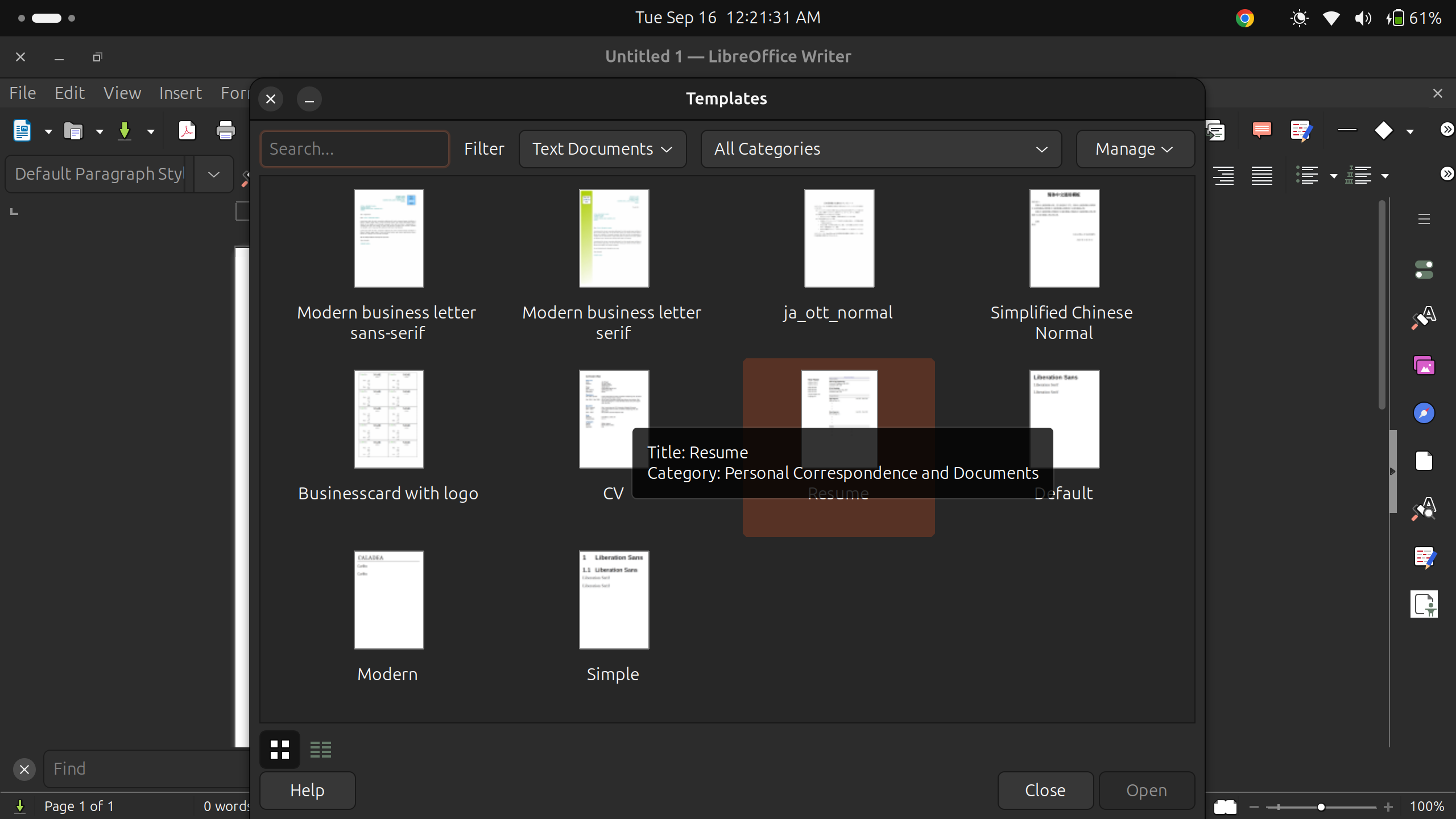
That’s when I decided to go old school and do it in a word doc, like my friend who was using Canva. I thought hers was image-based but was wrong and the low ATS score might be because of some missing sections. On my laptop, I used LibreOffice (since that’s ubuntus doc editor), and to my surprise, they had pre-built resume templates. I customized one and exported to PDF.
My current resume scores 98/100 on ATS checkers and is made with LibreOffice. It’s text-based, customizable, free, and reliable.
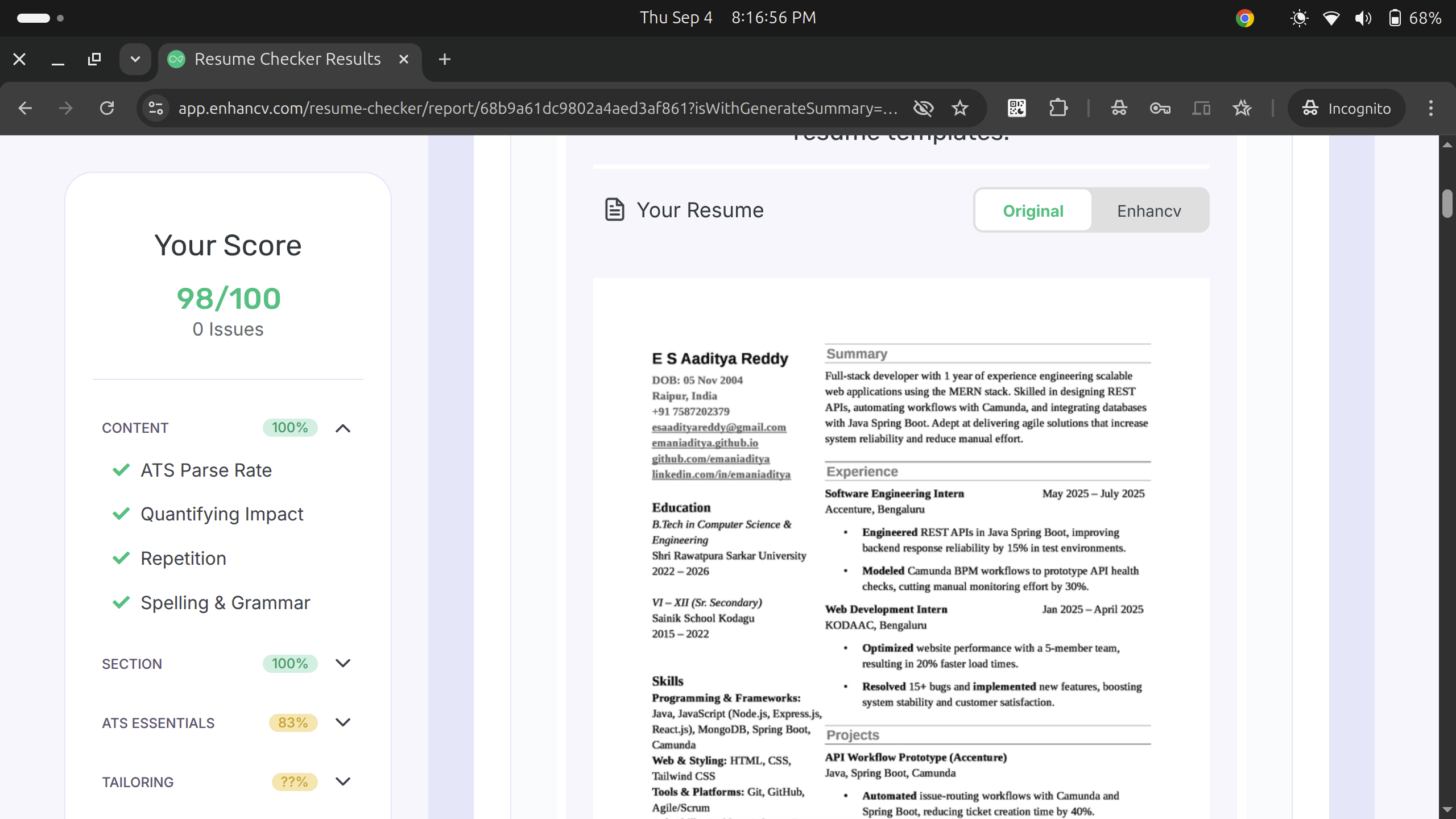
I’ve uploaded the PDF and raw .docx to GitHub for others to download and customize.
Crux - simple tools like LibreOffice beat fancy apps. If you’re struggling with ATS resumes, try it!